Legacy Communities
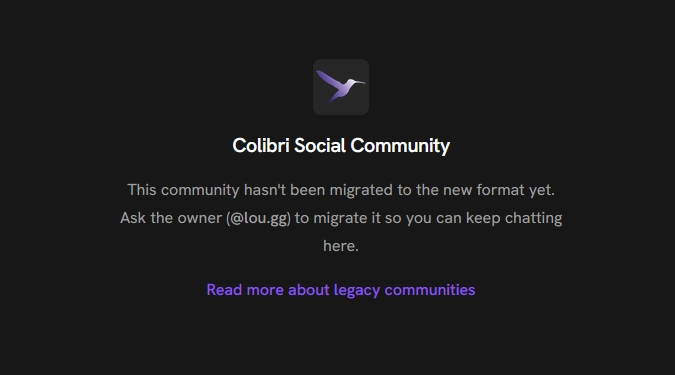
If you’ve used Colibri while it was in alpha and have created or joined a community, you might see that it has been locked since the beta release:

Why is this happening?
Section titled “Why is this happening?”Communities functioned differently in the alpha version of Colibri. Back then, they were stored on the repo (the account) of the user who created them. Colibri’s beta reworked this system so each community has its own account.
What can I do?
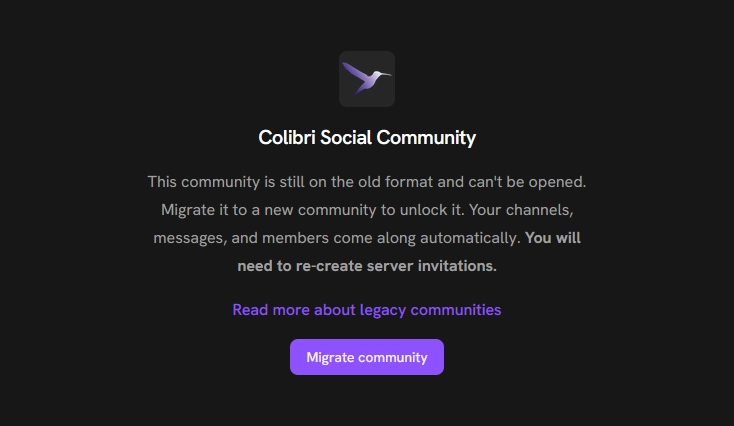
Section titled “What can I do?”If you’re not the owner of this community, please contact the owner and ask them to open the Colibri app. They will see a migration option for this community:
Will I need to re-invite members?
Section titled “Will I need to re-invite members?”No, members will still see the community after it has been migrated.
Will old messages disappear?
Section titled “Will old messages disappear?”No, old messages will be carried over after the migration.
Why can’t the invitation links be carried over?
Section titled “Why can’t the invitation links be carried over?”Colibri’s alpha and beta AppViews use very different database structures. To make other parts of the migration easier, we have opted to not migrate community invitations. Please re-create any invitation links and update the links.